Weatherpipe
Weatherpipe is a cross-platform, improved version of the Weather Strip app that I built over a few weeks in the spring of 2026.
The main benefit of both apps: they make understanding/internalizing the upcoming (like later today-week) weather very fast, like almost instantaneous.
It’s like “piping the weather to your brain”, hence the name (that along with .com domain availability).
Tutorial
Here’s how it works:
1. Days, and the “now” line
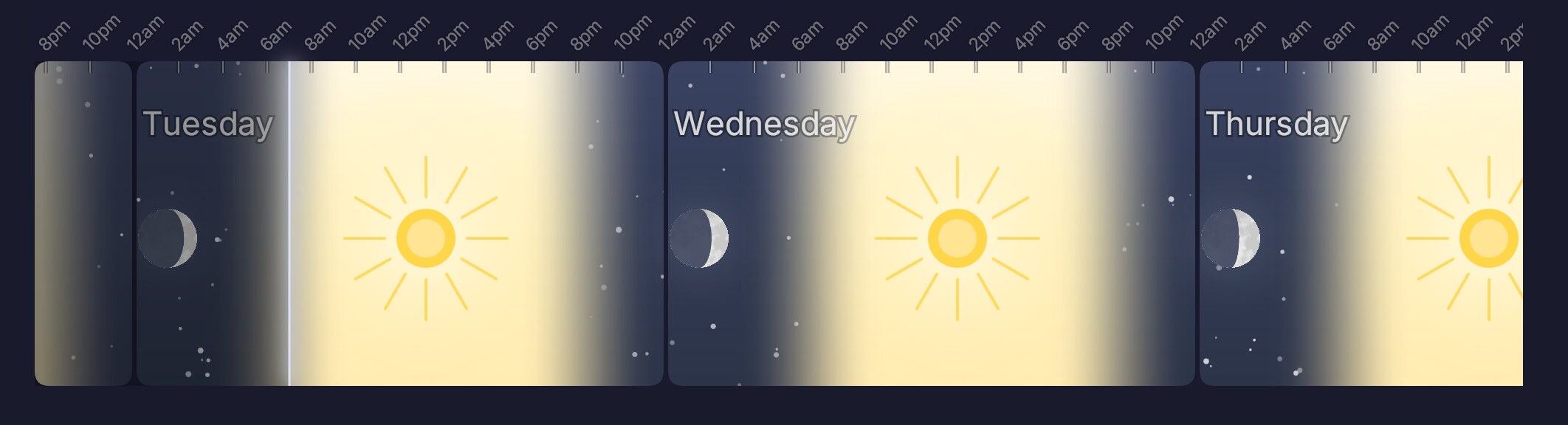
We start with the empty week. Days and times. Labels just after midnight.
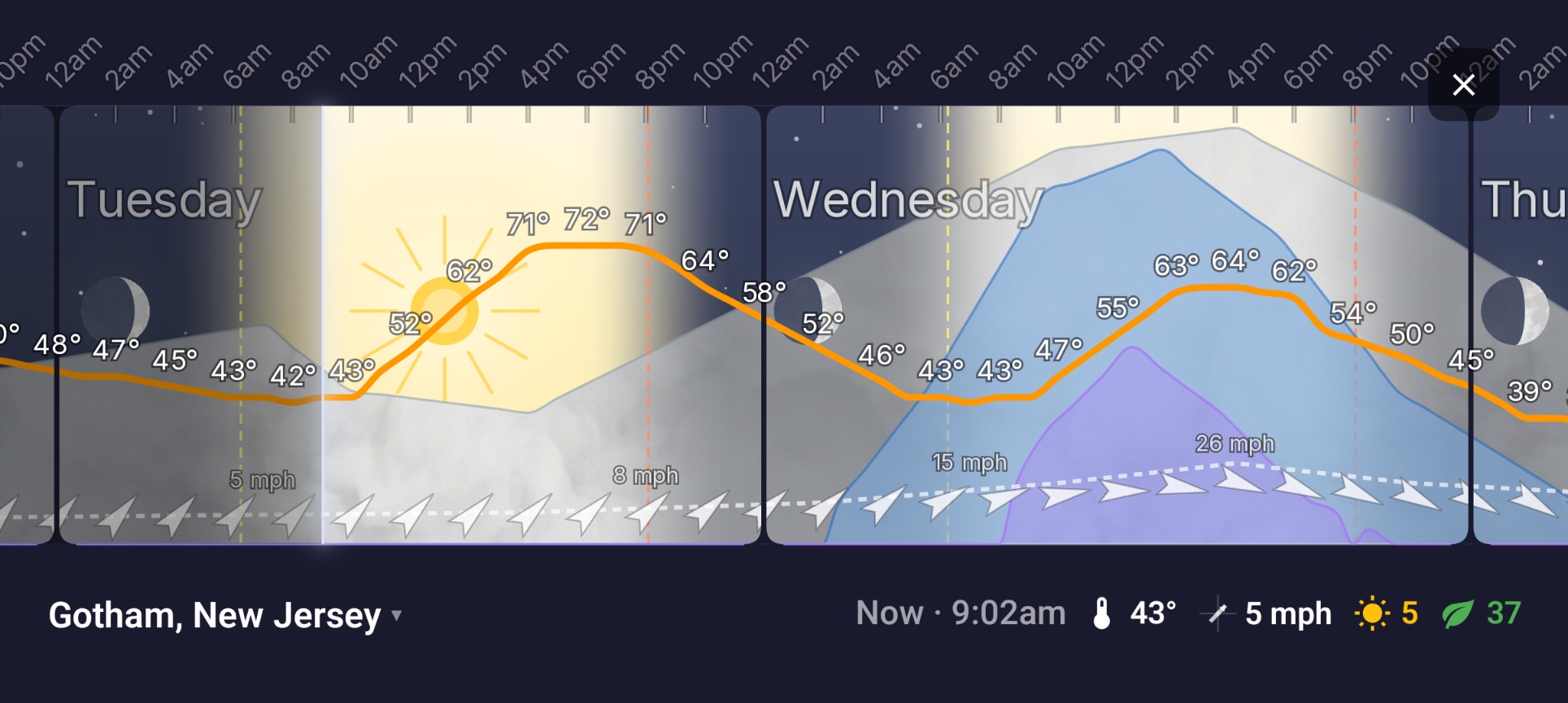
The white line is now — we’re checking the app Tuesday at 7 am. Left is past; right is the forecast.
2. + Temperature
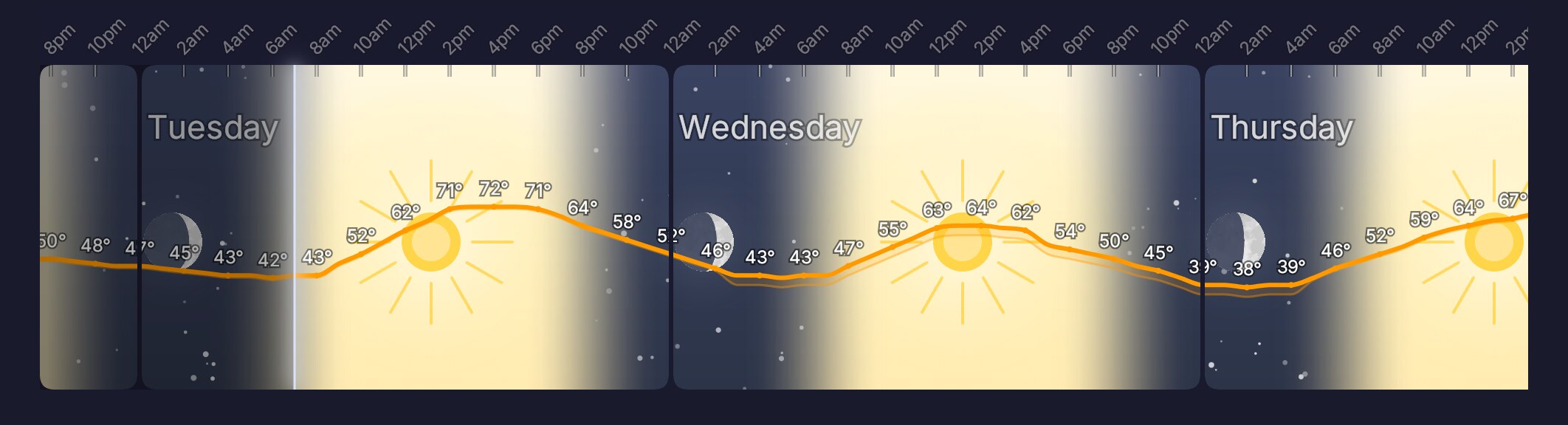
Next let’s add some real info. The orange curve is temperature. Right now it’s 43°, climbing to 72° in early afternoon.
Overnight drops back into the low 40s; tomorrow is cooler, peaking at 64° mid-afternoon.
3. + Clouds
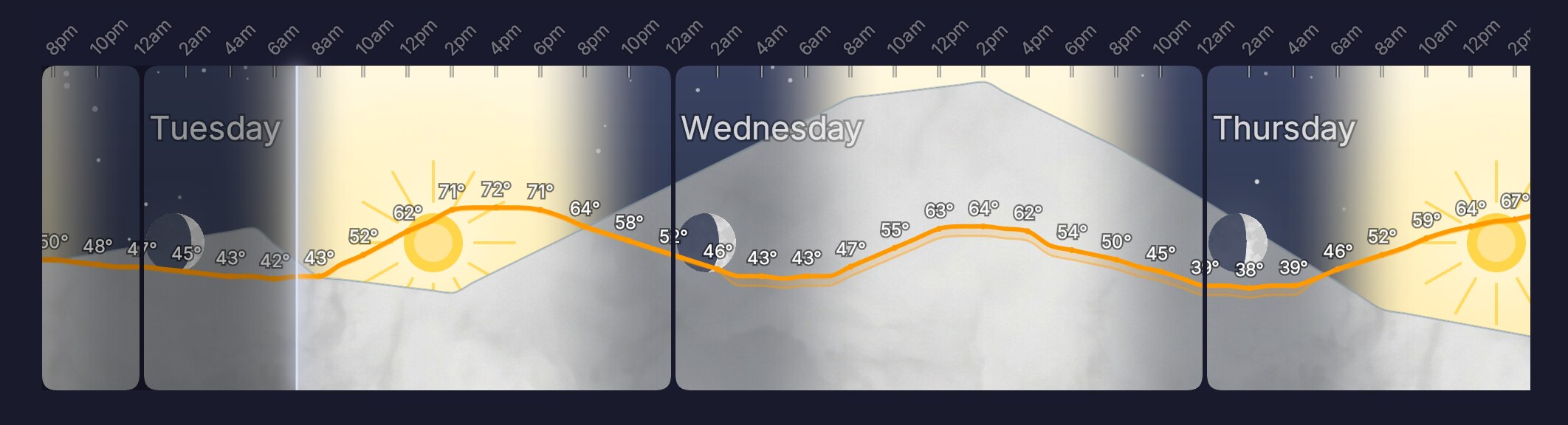
Grey area is percent cloud cover. Tuesday’s partly cloudy; Wednesday thickens as a system rolls in.
4. + Precipitation
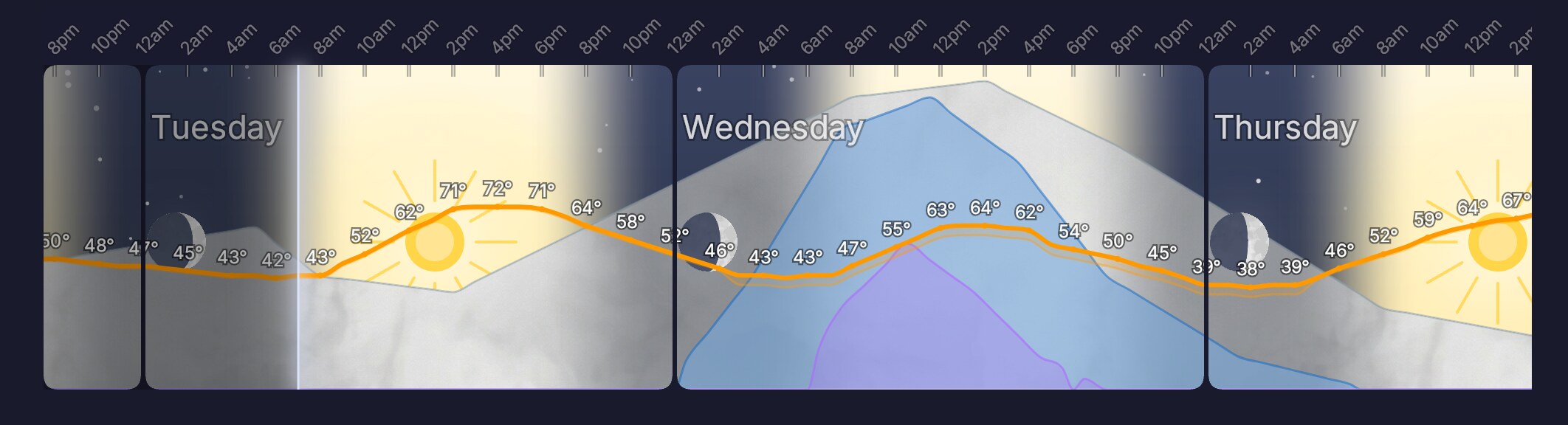
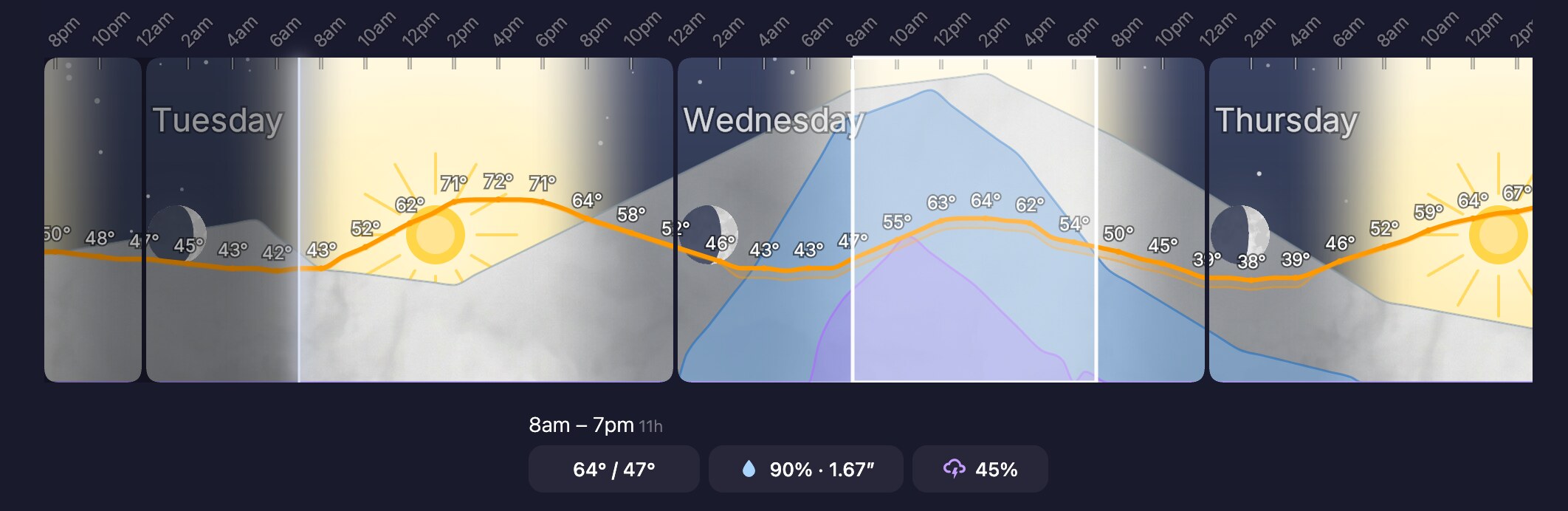
Blue is the chance of rain; purple, thunderstorms. Wednesday morning shows a 90%+ rain and 50% chance of storms, peaking late morning.
5. Long-press for the details
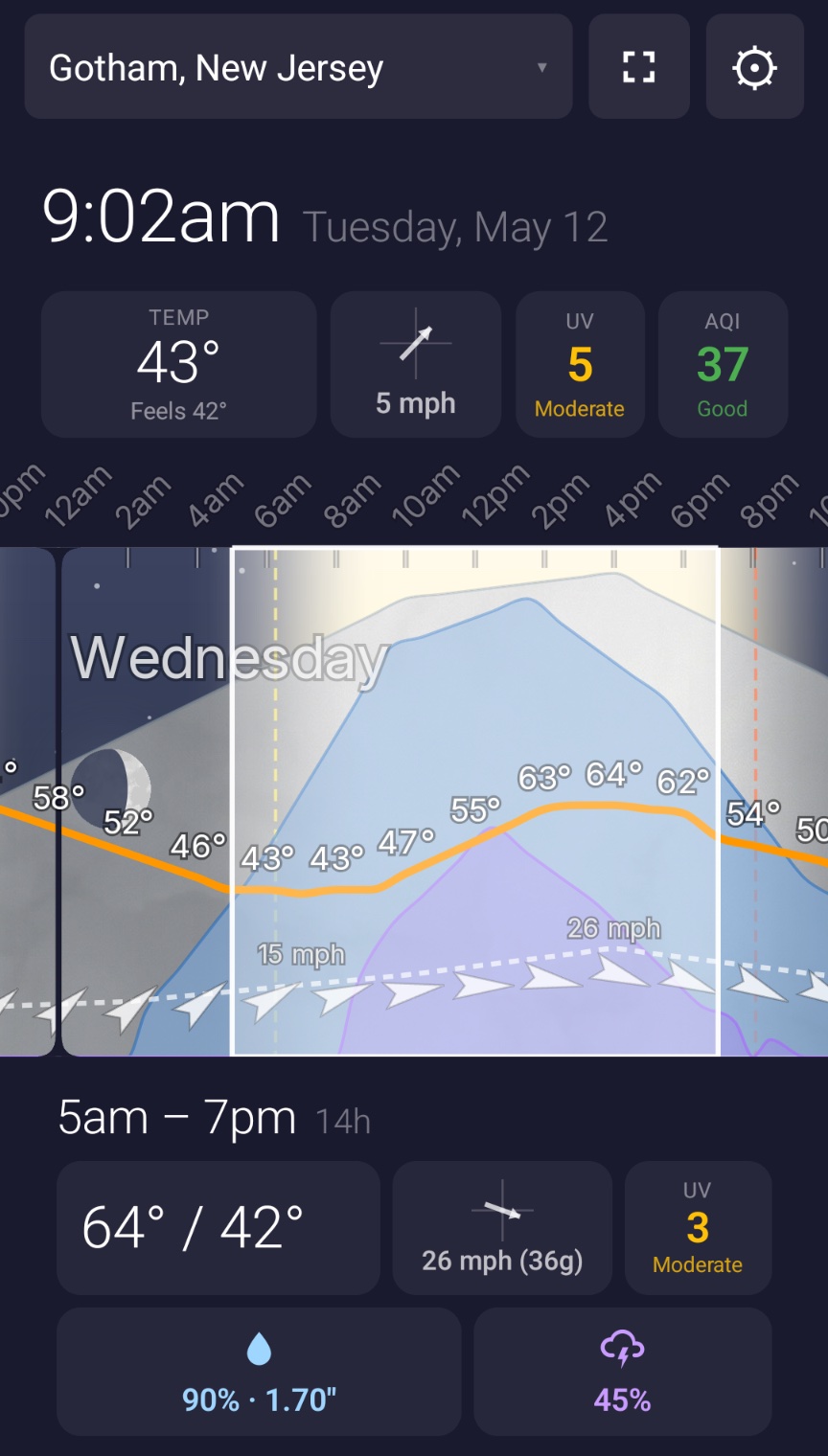
Press and drag and more info pops up — projected rainfall, along with overall rain and thunderstorm probabilities.
6. + Wind
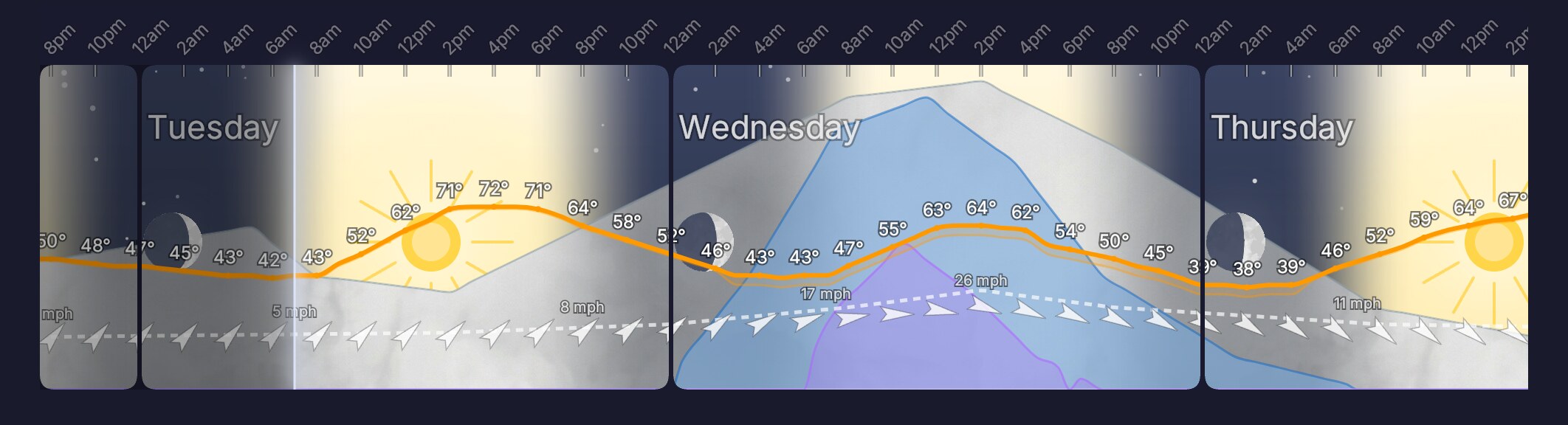
Arrows at the bottom show wind speed and direction, with the high and low marked. Dashed lines above mark gusts.
7. Zoom out to see the whole forecast
Below the focus, the entire week is shown in a single band. See the whole week at a glance — Friday looks great, with snow on Sunday.

Differences from Weather Strip
Weather Strip (as far as I know) pioneered the layout. I first heard about it from Devon Zuegel. It was always iOS/Mac only, which was unfortunate since I had an Android. I bought it anyway and used it on my MacBook.
As building became generally easier, I decided it’d be worth making a version for Android.
The main improvements vs Weather Strip, biggest to smallest:
1. Cross-platform.
Works on Android, iOS, and also there’s a web version.
2. Long press for more info.
The strip layout is great for showing probability of precipitation (> 0 accumulation) at any given time.
The only thing Weather Strip is not great at is showing how much rain we’re going to get; it does it in bars that overlay the strip/look kind of cluttered.
So instead I added the ability to press down and drag over an interval to bring up accumulated amounts.
3. Swap main line metrics.
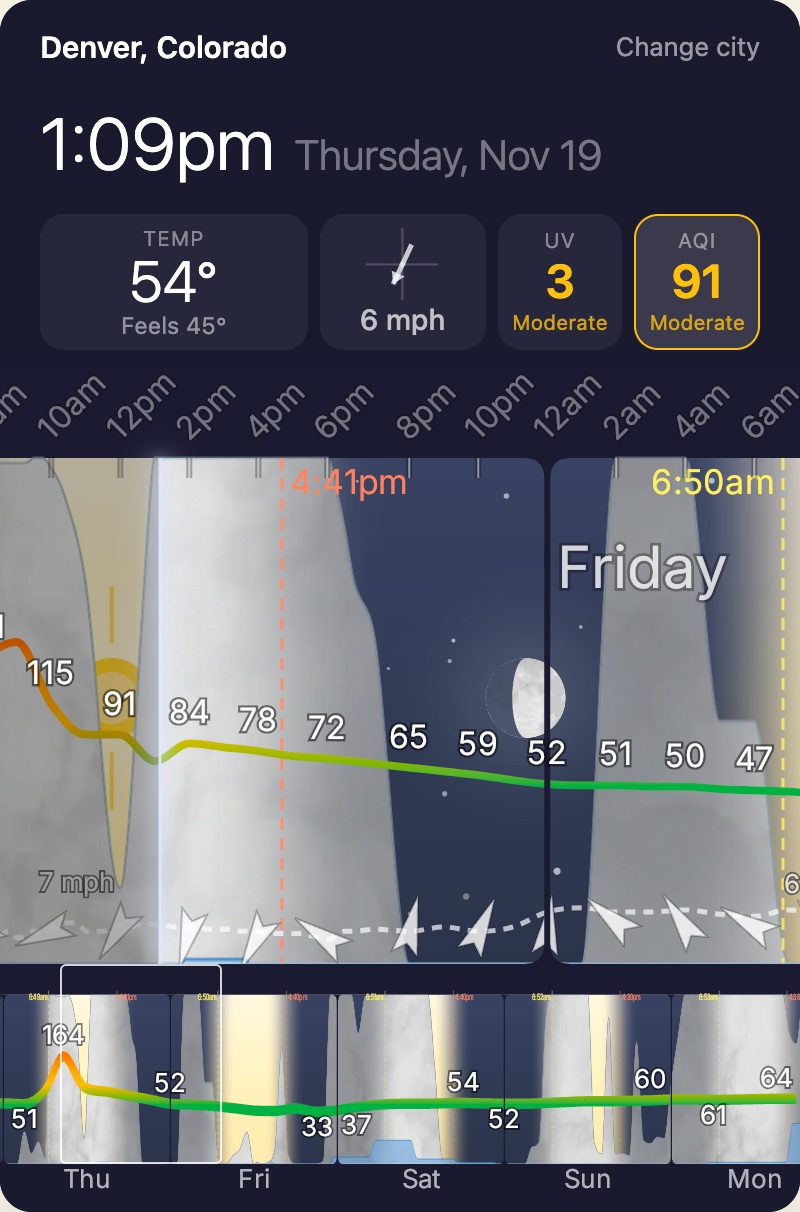
In Weatherpipe, you can tap air quality, wind (sustained and gusts), or UV to toggle that being the main line instead of temperature. It just makes it easier to see when there are particular things we care about.
I used it a bunch for air quality when wildfires were bad this summer. Or you can, say, look at wind if interested in e.g. a golf tournament.
4. Horizontal layout toggle.
You can flip your phone on edge for a larger, horizonal view. In theory this shows more and larger detail, but I don’t find myself using it much in practice.
5. Better aesthetics.
This is a matter of taste but I like the look of Weatherpipe better.
Web version
I’ve made a free (for now) web version here:
https://www.weatherpipe.com/w/
Also — since one area I think it particularly shines is planning tee times — I made a golf version here:
https://www.weatherpipe.com/golf
Development
This was my first iOS and Android app, it was a fine experience. I used Expo and React Native, and had to do some interesting work to speed up the visuals/SVG rendering and make everything performant.
Under the hood I’m using some decent paid commercial weather models, with some custom blending when it comes to merging short and medium/long term forecasts. It works all over the world.
Marketing and sales
I’ve barely marketed it so far, it’s been more for learning at this point. But it’s on my list. Feel free to reach out with any feedback.